You can recently register athletes with one import for multiple competition components. Start by creating a field for each event in Excel. For each athlete, you can put a checkmark or the best performance down on each event to be entered see the example below:

Copy this entire ?table (with headings!) and paste it into the input field of the import page of Athletics.app. Click on 'Import Now'.
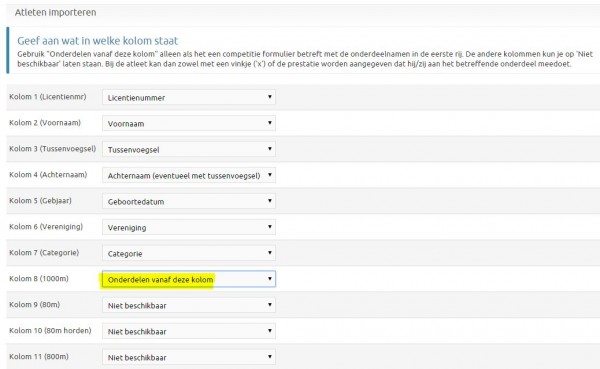
In the next menu, specify where Event columns start with 'Events from this column' (in the example, it is the column with the 1000m). The columns after that may remain at 'Not available'. If there is any other data after the event columns, also indicate where the event columns end with 'Events up to this column' (not needed in this example).
Registration for the relay via the import is not yet supported. After importing the athletes, you will still have to create the relay team yourself.
This has been automatically translated into English
