Uploading results format contains errors - The row contains less than 19 (20) columns

0 votes
asked Jan 2, 2017 in Upload results by Athletics.app Customer Service

I am trying to upload this file, but I keep getting error messages. One of the errors is "The row contains less than 19 columns (20)"


This has been automatically translated into English

1 Answer

0 votes
answered Jan 2, 2017 by Athletics.app Customer Service

After a number of edits, the file you sent us is suitable for uploading.
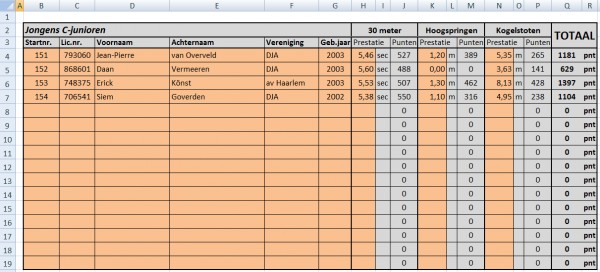
  1. Make sure you unmerge the merged columns (remove the merge).
  2. Then delete the columns with 'sec', 'm' (the unit of performance).
  3. Then delete the columns with the number of points.
  4. Then insert a column and call it 'Category' and place the category after each athlete.
  5. Then select all athletes and the table header. In the file, I have highlighted in yellow what you select and copy. You then paste that into Athletics.app. The file will then look like this:
  6. Then indicate for each column what Athletics.app can expect there. In this example, for "Column 8 ('30 meters')" --> "Events starting from this column". Set the other events to "Not available"


This has been automatically translated into English

...
