Yes, you can still change the event after athletes have already registered or if registration is still open. As long as no results have been entered, you can change the event in this way:
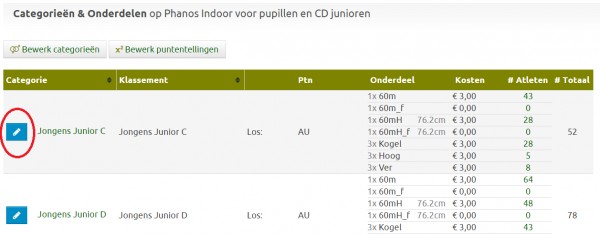
- Add the correct event to the category, but also leave the wrong event listed.
Right-hand menu --> "Categories and Events":
- Go to the overview of all registrations
At the top of the green bar --> "Registrations"
- Select all the athletes whose event you want to change
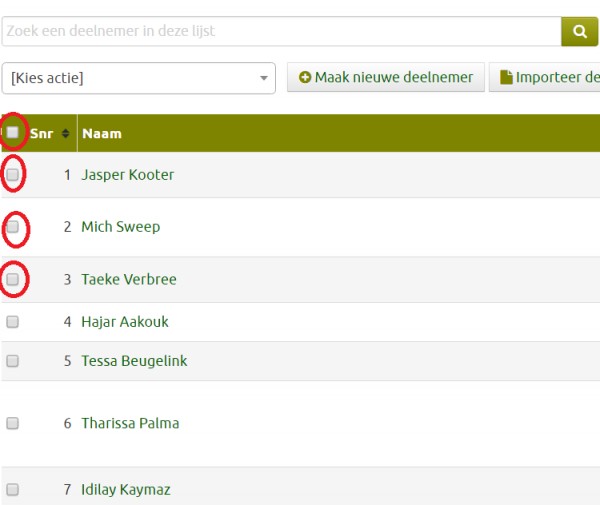
- Click on "[choose action]" in the top left of the table and select "Add to single event", then select the correct event so that the athletes are entered in that event.
- Now click again on the top left of the table on "[choose action]" and select "Remove single event", then select the (wrong) event so that the athletes are removed from that event.
- Now repeat Step 1 to remove the wrong Event from the category so that new registrants cannot register for the wrong Event
Note: Try to avoid having to change Events after registrations. The above actions will result in the loss of any best performances entered and if there was a choice of different starting groups during registration, that preference will also be lost.
This has been automatically translated into English
