To use the jury app, a jury member must log in with an account.
If judges use their own phone or tablet, we recommend that they also log in to the judging app with their own account.
If you, as the competition organization, provide tablets, we recommend that you create a separate account in advance and use it to log in to the tablets/phones.
- Ask the judge for his/her email address (account), you do NOT need the password for their account.
- Go to your competition in Athletics.app (on the website)
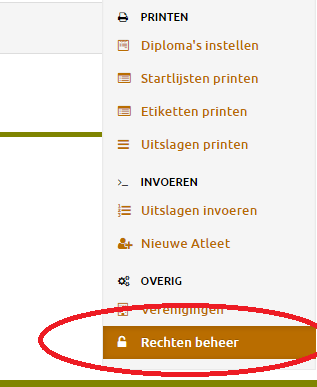
- Go to "Rights management" via the drop-down menu on the right
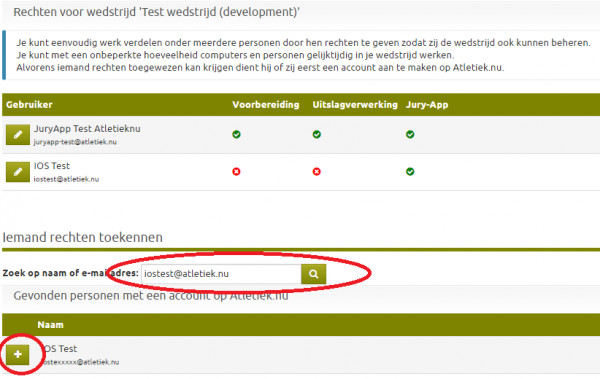
- Search for the account of the judge by entering the email address.
- Then click on the 'plus' sign in front of the name of the correct account:
- Check "Jury app (All startgroups):" YES.
- Or select specific startgroups if you prefer not to give a jury member the right to enter results for all startgroups. src="https://www.athletics.app/faq/?qa=blob&qa_blobid=8163736617189955363" style="height:465px; width:600px">
This has been automatically translated into English
