When registering for a competition, I have to enter my best performance. If I do not enter this performance but continue, I can no longer change/add performances. Use case: Select competition where the best performance must be entered. Click on register as athlete. Select an event. Click on Next.
The error message 'No best performance entered' appearsClick on '
Show entered best performances' next to the best performances.No input boxes appear.
Use case 2:
- After step 3, fill in an achievement without a date
- Click on next.
- The error message 'Incorrect date for best performance' appears
- Click on 'Show specified best performances' next to the best performances.
- No input boxes appear.
Workaround:
- Deselect and reselect the event (for each event). The best performance boxes are added. Previously entered data is displayed correctly.
Seemingly related to: https://www.athletics.app/faq/?qa=625/gefixt-opgegeven-beste-prestatie-wijzigen-lukt-niet but not the same problem.
The url https://www.athletics.app/atleet/edit/{id} is the best performance to edit, after clicking on ' Show specified best performance'
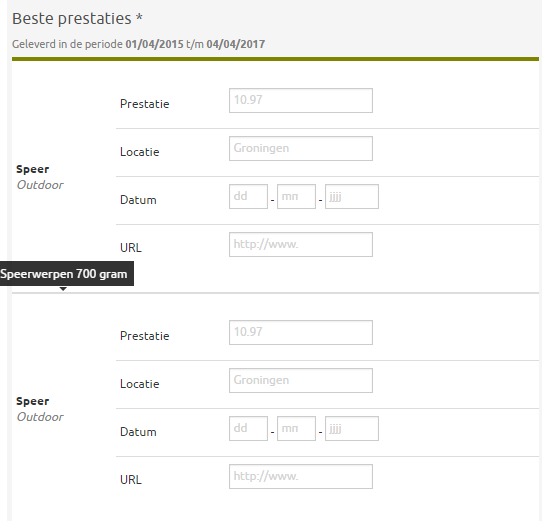
Incidentally, it is somewhat unclear how to specify performances when selecting two of the same events (with different weights). Of course, not a commonly used use case ;)
This has been automatically translated into English
